Running an online exam well requires more than clicking "publish." The process — from deciding what to test to acting on results — determines whether candidates get a fair shot and whether your data is trustworthy. This guide walks through every stage of a practical online exam workflow using online exam software like EasyEvaluate, whether you are an educator setting a term paper, a college faculty running midterms, or a recruiter screening a hundred candidates at once.
Most exam failures — disputes over scores, integrity complaints, last-minute panics — trace back to skipped process steps, not software bugs. The platform handles delivery; you handle the decisions. A clear pre-exam checklist cuts support tickets on exam day and gives you defensible results if a score is ever challenged. EasyEvaluate's core features are free, so the bottleneck is almost never cost — it is preparation.
Before touching any software, answer four questions in writing: What knowledge or skill are you testing? What does a passing score mean for the candidate? Who is allowed to attempt the exam? And what happens after — does this score gate the next round, contribute to a grade, or simply inform feedback?
These decisions drive every downstream setting. A formative practice quiz can be open-book and low-stakes. A summative term exam or recruitment screening needs timing, shuffling, and attendee restrictions. Mixing these intentions without separate configurations creates ambiguity and disputes. Decide first, configure second.
Practical choices to document before you open the software:
Question quality is the single biggest lever on exam validity. A technically perfect delivery of a poorly written paper still produces useless data. Aim for a mix of difficulty — roughly 30 percent easy, 50 percent medium, 20 percent hard — and map each question to a specific topic or skill before you start writing so you know when the syllabus coverage is complete.
EasyEvaluate supports multiple question types out of the box: MCQ, multiple-select, true/false, statement-based, and assertion-reason formats. For STEM subjects, the rich text editor handles LaTeX equations and images without any external tool. If you are short on time, the AI question generator can draft questions from a topic or passage in seconds — review them, adjust difficulty, and add them directly to the paper. The generator is available as an add-on at $5/month and pays for itself the first time you avoid a weekend of question-writing.
Practical tips for question writing:
Build a question bank that is larger than the exam itself. Drawing randomly from a bank of 80 questions to deliver 40 creates natural variation across attempts and reduces the effectiveness of answer sharing.
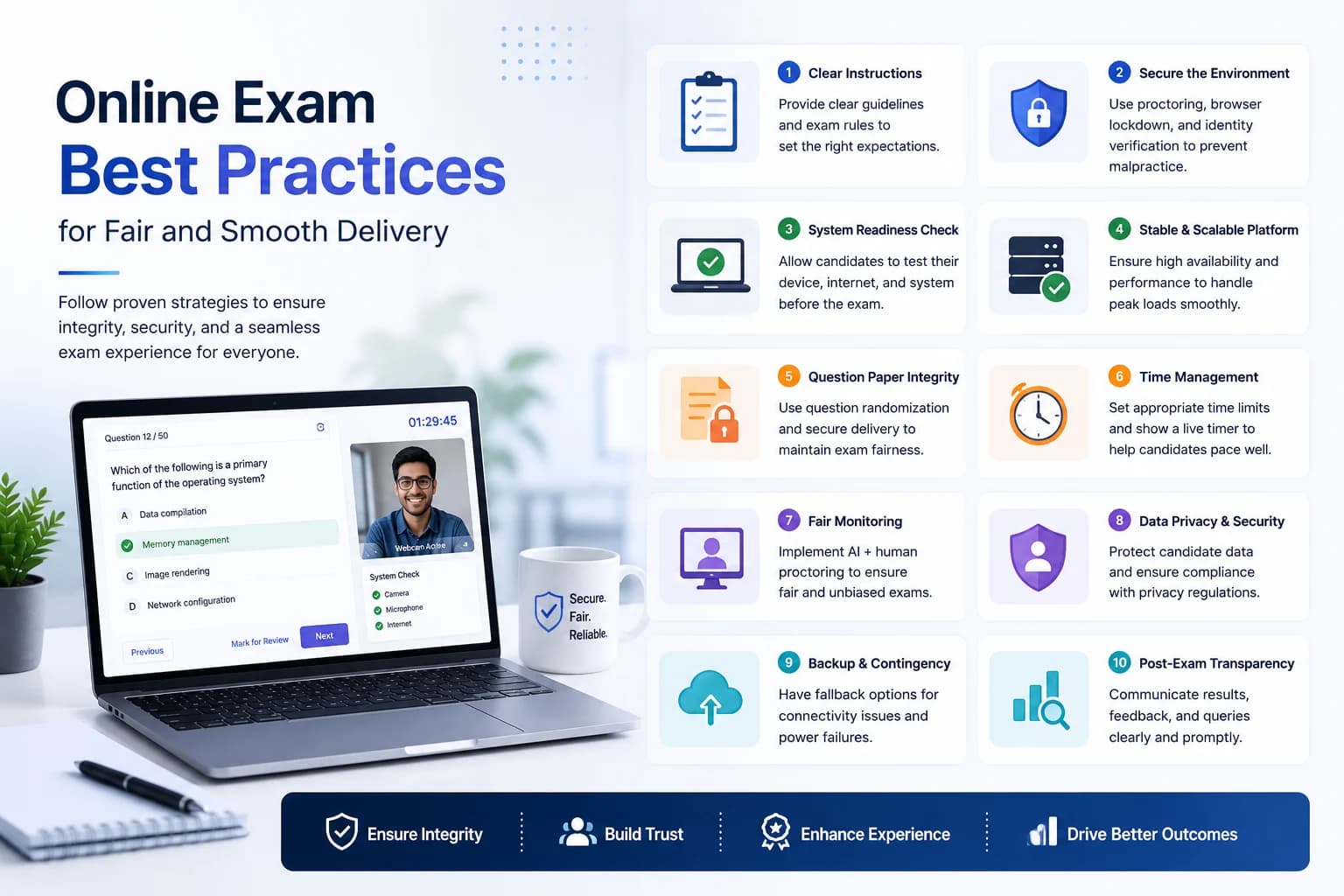
EasyEvaluate's security settings are layered — you enable only what the exam stakes justify. A daily classroom quiz needs less restriction than a certification exam. Here is a sensible tiering:
Low stakes (formative quiz): Enable timing with auto-submit. Shuffle questions. Allow free navigation. Skip attendee restrictions so students can join with any link.
Medium stakes (graded exam, remote): Add attendee restrictions so only enrolled students can join. Enable fullscreen enforcement and tab-switch detection. Shuffle both questions and options. Disable backward navigation to prevent late corrections based on memorized answers from neighbors.
High stakes (certification, recruitment screening): Layer on AI proctoring ($5/month), which records video during the attempt and flags suspicious behavior automatically. Recordings are stored for 5 days for manual review. Combine this with a fixed exam window (e.g., 2-hour window on a specific date) and single-device login. See the full anti-cheating breakdown in our guide on how to prevent cheating in online exams.
One frequently overlooked setting: decide whether to show the exam end time to candidates. Hiding it reduces last-minute panic on long exams but may feel opaque. For recruitment screening, hiding it is usually the right call — you want to see how candidates allocate time independently.
EasyEvaluate lets you invite candidates directly by email from the dashboard — no need to copy a link and paste it into separate messages one by one. For a class of 200 students or a campus recruitment drive, bulk email invitations with the exam link, start time, and device requirements save hours of coordination.
Send two communications: one 24–48 hours before the exam with all instructions, and a reminder 30 minutes before it opens. Include:
If this is the candidate's first time using the platform, add a short practice quiz link — five throwaway questions with no score impact. Candidates who have seen the interface before exam day generate far fewer panicked support messages during the actual attempt.
Once the exam is live, EasyEvaluate's dashboard shows real-time attempt status — who has started, who has submitted, and who has not logged in yet. For a remote exam, this visibility lets you chase no-shows before the window closes and spot candidates who dropped off due to a connection issue.
Designate one person as the exam controller who watches the dashboard and handles the support channel during the attempt window. That person should not be the same person reviewing answers afterward — separation reduces bias. For AI-proctored exams, flag reviews can happen after submission rather than in real time.
Have a decision tree ready for common issues: What happens if a candidate's connection drops mid-exam? Is there a grace period? Can they re-enter? Document and communicate these rules in advance so you are not making ad hoc calls during the window.
Auto-grading for objective question types happens instantly on submission. EasyEvaluate generates a marksheet exportable to Excel or PDF — useful for college faculty who need to upload grades to an LMS or for recruiters who need a rank-ordered shortlist for hiring managers.
The analytics layer is where most exam administrators stop too early. Beyond individual scores, look at:
Feed these insights back into teaching or hiring decisions. For educators, low-scoring topics are the next lesson focus. For recruiters, high-difficulty questions that top performers still answer correctly are the most predictive items — keep them in the bank.
One exam is a data point. A question bank that grows over multiple exam cycles is an asset. After each exam, retire questions that were shared publicly (you will spot these from suspiciously identical wrong answers across unconnected candidates), flag questions with poor discrimination for rewriting, and add fresh questions covering topics that came up in the teaching period since the last exam.
If you run the same exam format regularly — weekly quizzes, quarterly assessments, or annual campus drives — save your configuration as a template. Next cycle, clone the test, swap the question set, and publish. The entire setup takes under ten minutes once the question bank is healthy.