You do not need to be an engineer to understand online examination system architecture. But you do need to understand the building blocks if you are evaluating platforms, designing exam processes, or trying to figure out why your current tool keeps failing at scale. Every online exam system, from a simple quiz tool to an enterprise testing platform, is built from the same five layers — authoring, delivery, integrity, scoring, and analytics. The layers differ in depth and sophistication, not in kind. This guide maps each layer in plain language so you can ask better vendor questions and avoid architecture mistakes when designing your exam workflow.
The authoring layer is where exam creators write questions, organise them into banks, set marks, and configure paper rules. A strong authoring layer supports multiple question types (MCQ, true/false, fill-blank, short answer), topic-level tagging so questions can be retrieved later, difficulty metadata, and collaborative editing for teams. Weak authoring forces every exam to start from scratch instead of drawing from a bank.
Delivery handles candidate authentication, time enforcement, navigation, and submission. Authentication can be as simple as a unique link sent by email or as strict as a login with a registered account. Time enforcement must be server-side, not client-side — a browser countdown that can be paused by refreshing the page is not real timing. Auto-submit must fire reliably when the window closes, even if the candidate's connection drops mid-attempt.
EasyEvaluate handles delivery through dashboard-generated links that can be emailed directly to candidates in bulk. The timer runs server-side and auto-submits at deadline regardless of what the candidate's browser does. This removes the operational headache of chasing late submissions or handling "my time froze" disputes.
Integrity controls exist on a spectrum from passive deterrents to active proctoring. The baseline consists of question shuffle (different order per candidate), option shuffle, fullscreen mode enforcement, and tab-switch limits. These controls stop opportunistic cheating without requiring any hardware or manual oversight. They work well for most school, college, and training use cases.
For higher-stakes exams — semester finals, certification tests, competitive shortlists — webcam-based proctoring adds a monitoring layer. AI proctoring flags anomalies in real time; recordings stored afterward enable human review. EasyEvaluate's AI proctoring is an optional $5/mo add-on that stores recordings securely for five days, giving administrators time to review flagged attempts before releasing results.
Scoring for objective items should be instant and fully automated. The system compares the candidate's selected answer to the stored correct answer key and applies the configured marks and negative marking rules. Problems appear when scoring is delayed or when the answer key can be changed after attempts are submitted — both create auditability gaps.
For subjective items (essays, long answers), scoring requires either human marking through an admin interface or AI-assisted grading. Most operational exam platforms focus on objective auto-grading and leave subjective marking to human evaluators. The architecture should clearly separate objective (instant) and subjective (pending human action) items in the result view.
Analytics turns raw scores into actionable data. At the candidate level, you want scores, time taken, and a per-question breakdown. At the paper level, you want per-question correct rates so you can retire poorly written items or flag questions that most of the class got wrong for re-teaching. At the admin level, you want exportable marksheets in formats that plug into gradebooks and HR systems.
When delivery and scoring are tightly coupled in a single process, a surge in simultaneous submissions can delay both. Well-architected systems queue submission events and score asynchronously, so a hundred candidates submitting in the same second does not cause timeouts. When integrity is an optional afterthought bolted on late, enabling it often breaks the delivery layer because the controls were not designed into the flow from the start.
Exam data contains personal information (names, scores, sometimes video) and is subject to data protection regulations in most countries. Ask vendors where data is stored geographically, who can access candidate records, whether the platform has achieved a security certification such as ISO 27001 or SOC 2, and what the backup and disaster recovery policy is. For institutions bound by data residency rules, confirm the vendor can host data in the required region.
For proctoring data specifically, ask how long recordings are retained and whether they can be deleted on request. EasyEvaluate stores proctoring recordings for five days only — a deliberate data minimisation approach that reduces risk for both the institution and the candidate.
A question bank that works for ten exams falls apart at two hundred if it was not structured from the start. The minimum viable tagging scheme: subject, topic, subtopic, difficulty (easy/medium/hard), and question type. Once you have that, you can query the bank by any combination — "give me 20 medium-difficulty SQL questions for the data analyst screening test" — and assemble papers in minutes instead of hours.
Most institutions do not need to self-host exam software. Self-hosting means you own server provisioning, uptime, backups, and security patching — a significant overhead for a school IT team or a small HR department. Hosted SaaS shifts that burden to the vendor and typically delivers faster delivery, automatic updates, and better uptime than most institutional servers. Choose self-hosted only when data residency regulations mandate it or when you need deep custom integrations with existing internal systems.
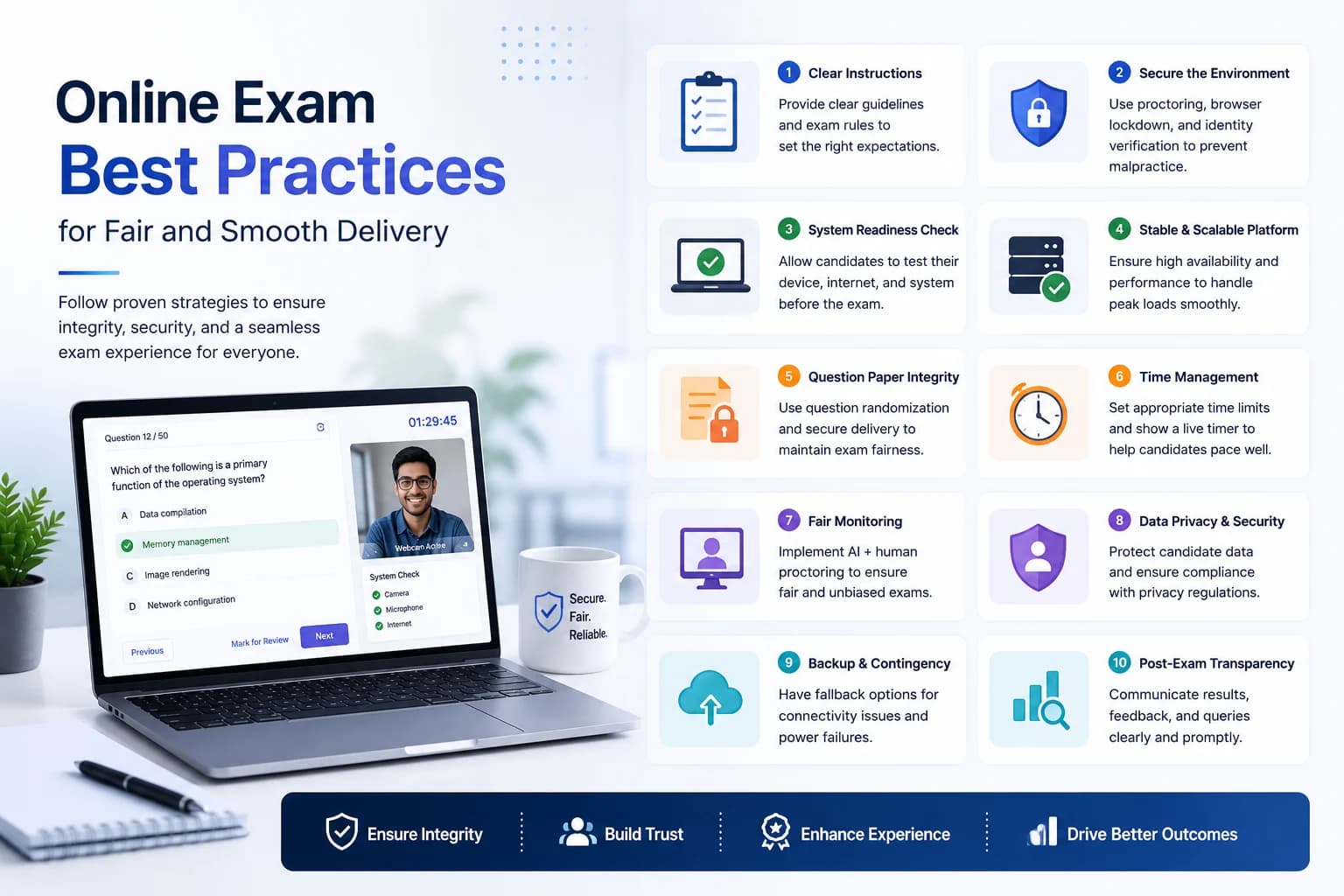
Every system fails eventually. The architecture question is whether the failure is recoverable and how candidates are affected when it happens. Network drops during an active attempt are the most common failure. A well-designed platform saves answers server-side as the candidate progresses, so a reconnection restores the attempt in progress rather than losing it. Platform-wide outages are rarer but more serious — ask vendors about their historical uptime and their compensation or makeup policy for exam disruptions.
Process-level backup plans matter too. For high-stakes exams: have a communication template ready for "exam delayed due to technical issue", a makeup window pre-scheduled in your calendar, and a documented escalation path for support. No platform has perfect uptime; institutions with a rehearsed response plan recover in minutes rather than hours.
A school running a 30-student quiz has different concurrency needs than a company running a 3,000-candidate campus drive. Ask vendors about their demonstrated maximum concurrency and what happens at the edge: do attempts slow down, do submissions queue, or do candidates get error pages? Batch the largest drives into staggered time slots as a practical backup, regardless of platform guarantees.