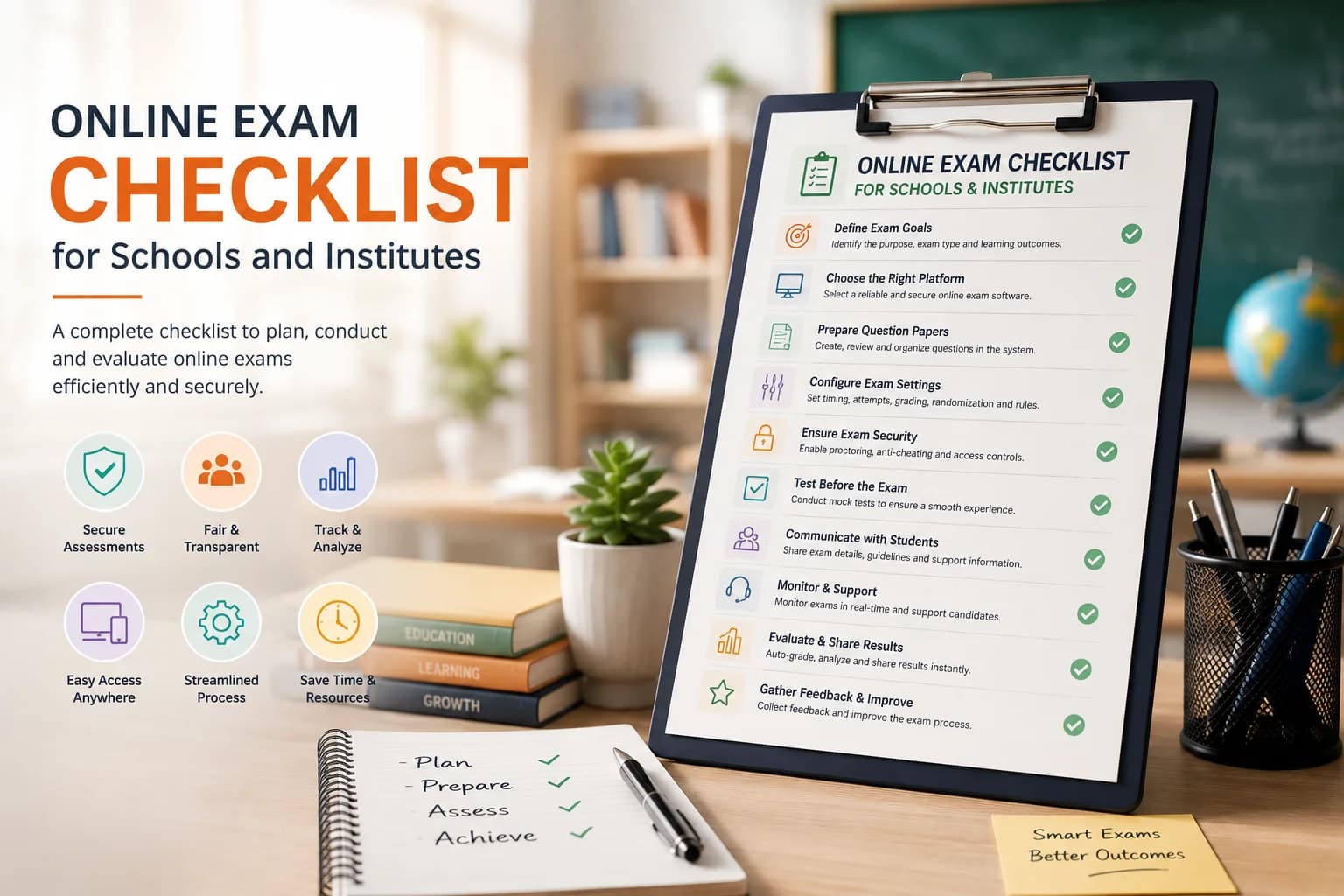
Online exams for schools work best when teachers keep papers short, instructions clear, and integrity matched to stakes. The shift from paper-based to online assessment is not just a format change — it is a process change that touches how students prepare, how teachers distribute papers, how cheating is prevented, and how results are used. This playbook gives teachers a reusable process for each term, from creating the first exam to using results to inform the next lesson cycle.
Online exams give students immediate feedback — something paper-based tests cannot offer without significant teacher time. A student who gets their score and per-question result within minutes of submitting can identify weak topics while the exam content is still fresh. This immediacy makes online assessments more effective for formative purposes than delayed paper grading. For schools preparing students for digital board exams or competitive entrance tests, regular online practice also builds format familiarity.
First-time online exam experiences generate the most support messages. Reduce these by running a three-question practice paper a day before the first real exam. The practice paper has no marks and is purely for interface familiarity. Students who have seen the countdown timer, the question navigation, and the submit confirmation once will not panic during the real exam.
Share the exam link through whatever channel your class uses: WhatsApp group, school portal, email, or projected QR code in the classroom. For take-home exams, share the link and the access window at least 24 hours in advance. For in-class exams, display the link on the board when the window opens. EasyEvaluate also supports bulk email invites from the dashboard — useful for formal graded assessments where you want tracked, personalised access.
Mathematics assessments work well as MCQ when questions are calculation-based with clearly distinct numeric answers — wrong answers are rarely ambiguous. For science, include diagram-based questions as images attached to the stem. For history and geography, scenario-based questions ("Based on the following event description, what was the most likely cause?") are more effective than pure fact-recall. For language subjects, MCQ works for grammar and reading comprehension but is a poor substitute for writing assessment.
During an in-class online exam, the teacher's admin panel shows which students have started, submitted, or not yet opened the link. This is useful for catching students who are having technical issues before the window closes rather than after. For take-home exams, check the attempt count at the midpoint of the window — if it is much lower than expected, there may be a link issue or a communication gap.
After the window closes, open the results panel. The class view shows each student's score and rank. The item analysis view shows per-question accuracy across the class. Focus on the item analysis first: any question where fewer than 20% of students got it right is either a trick question or the topic was not taught clearly. Any question where more than 95% got it right was probably too easy to discriminate — consider removing it next time.
The best use of an online exam result is a 15-minute class review session. Display the per-question accuracy on screen and walk through the three or four questions the class found hardest. Students understand which concepts need more work, and teachers get real data to guide the next lesson rather than guessing. This closes the formative assessment loop.
Decide your makeup policy before the first exam, not in response to the first request. Options: a short makeup window within 24 hours for documented absences only, no makeup for take-home exams where the window was 24+ hours, or a standard alternative paper administered in class for genuine absences. Whatever the policy, document it in the class information and apply it consistently — inconsistent exceptions generate peer perception of unfairness.
Parents often worry that online exams encourage screen time or are less rigorous than paper tests. Address this proactively in a parent communication at the start of the term: explain that online practice mirrors the format of future digital board or entrance exams, that results are immediate and help students identify weak areas, and that integrity controls prevent simple copying. Transparency reduces anxiety and the volume of parent queries to teachers.
Plan your online exam schedule for the term in the first week. Decide when exit quizzes will run (weekly after major topics), when unit tests will happen (after each unit), and when the practice mock will occur (two to three weeks before the final exam). Add these to the class calendar so students can prepare. Predictable schedules reduce last-minute panic and produce more consistent performance data.
EasyEvaluate's core platform is free for schools: create exams, run them with anti-cheating controls, auto-grade, and export results. The AI question generator ($5/mo) helps teachers draft question sets faster. AI proctoring ($5/mo) is available for high-stakes exams where a webcam record is needed. Schools running frequent formative quizzes and unit tests will find the free tier covers everything they need.